TicTask
Azure DevOps extension

Log hours without leaving the Task

Start a timer on the work item and TicTask does the rest: Completed Work, Remaining Work and the task state stay up to date, with a record of who logged how much and when.

The extension is private: an access request shares it with your organization. The extension and its docs are in Portuguese. Open source, MIT license.

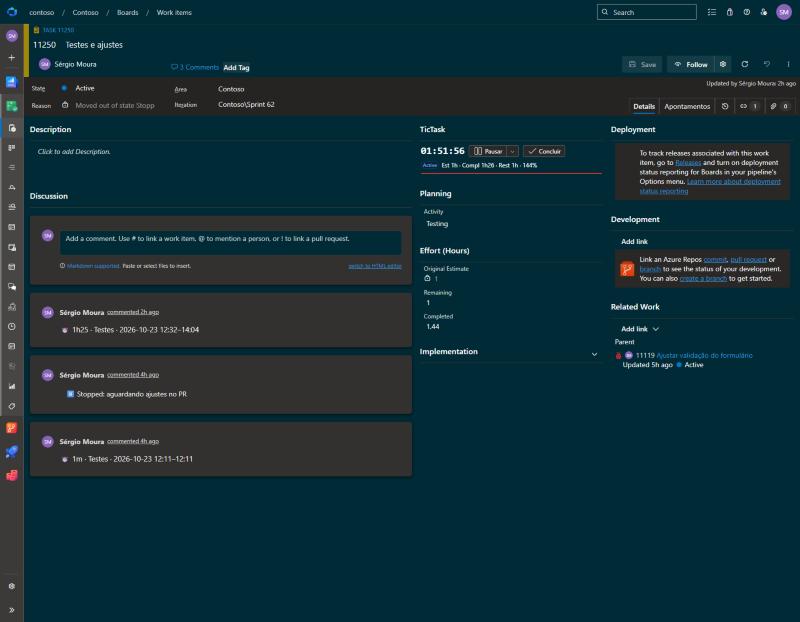
TicTask group on the Task form, with the timer buttons and the estimated, completed and remaining hours

Features

Everything inside Azure DevOps, with no server of its own: the data lives in your organization's Extension Data Service.

Timer on the work item

Start, pause and complete right on the Task. Pausing already logs the time and takes it off Remaining Work: nothing is left pending.

  • One timer per person: starting another task pauses the current one.
  • Keeps counting with the browser closed.
  • Notices a forgotten timer and asks until when you worked.
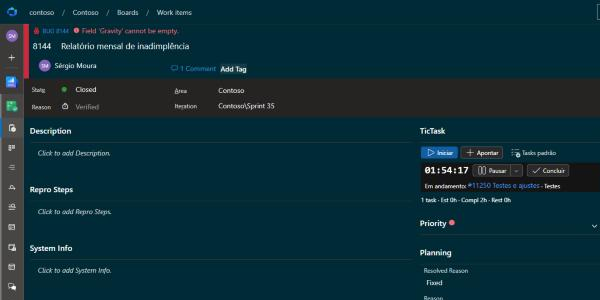
TicTask group on a Bug, with the timer of another task running

Reasons and next step

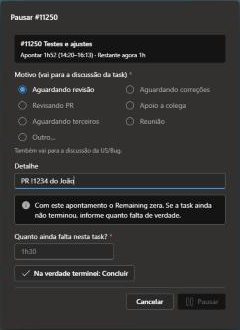
When pausing, say why (waiting for review, helping a colleague, meeting). When completing, the next step (sent for review, PR approved). It all goes to the task discussion and, when it matters, to the story's.

  • Reasons configurable per project.
  • PR review flow with a single Fix task per story.
Pause with reason dialog

Start from the story

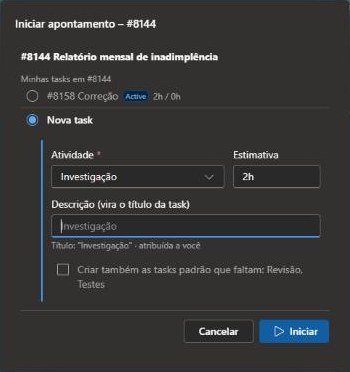
On the User Story or Bug, pick one of your tasks or create a new one from a description: it is assigned to you, with the story's area and iteration, and the timer starts on it.

  • Standard tasks (Development, Testing…) created in one click.
  • Reviewers create their own review task on someone else's story.
What are you going to do dialog, with the story's tasks and the new task option

My time

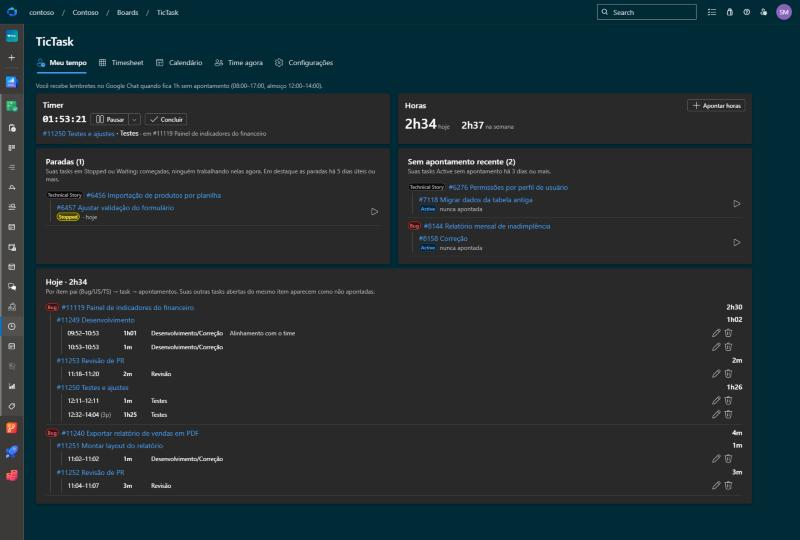
Your day at a glance: the running timer, today's and this week's hours, paused tasks with the reason and how many days they have been waiting, and today's entries as a tree.

TicTask hub, My time tab

Summary and Calendar

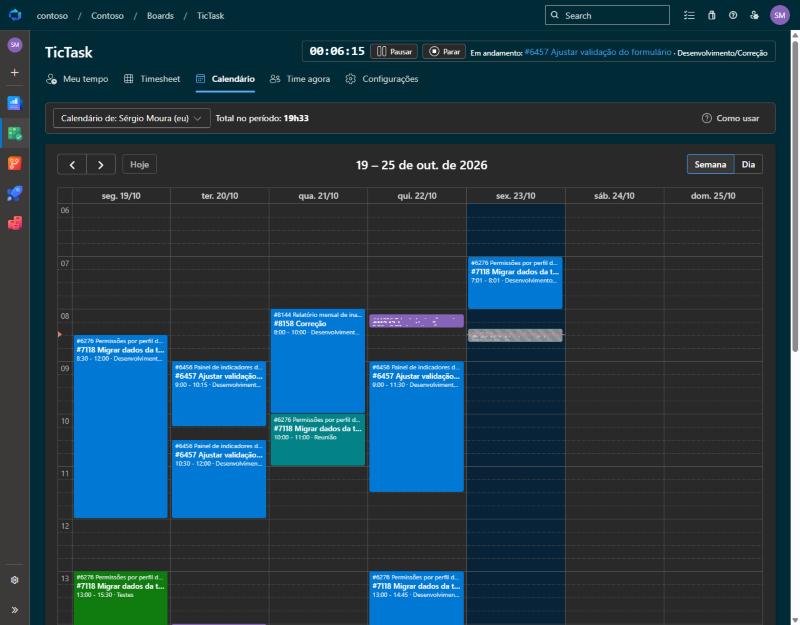
Hours by day, week or month, per person, story, task and activity, with PDF and CSV export. In the calendar, drag to log time or fix the hours.

  • Managers see the whole team and who has a timer running.
  • Imports the history of the Time Log extension.
Calendar with the week's entries

How it works

The task state tells who is working on it. Completed Work is the sum of the entries, each entry takes off Remaining Work and everything stays in the work item history.

Task state cycle: New, Active, Stopped and Closed ▶ Start ✓ Complete ⏸ Pause ▶ Resume + Log time ▶ Start (reopens) New Active Closed Stopped
ActiveSomeone has the timer on it right now.
StoppedStarted, nobody working on it right now. Shown under Paused.
ClosedDone.

Get started

An organization administrator does this once. The full guide is in the wiki (in Portuguese).

  1. Request access

    Open a request with your organization name. It gets shared with you and updates arrive on their own.

  2. Install

    In Organization settings › Extensions › Shared, install TicTask.

  3. Prepare the process

    Add the Stopped state to the Task if it doesn't exist. See how.

  4. Configure

    In Boards › TicTask › Settings, review activities, states and reasons.

FAQ

Do I need a server?

No. Entries live in Azure DevOps' own Extension Data Service, and the hours go to the work item fields.

Does it work with any process?

With Agile, Scrum and inherited processes. The process needs a pause state on the Task (Stopped by default), and the types and states are configurable.

Is this a time clock?

No. TicTask measures the effort on each task. Pausing means leaving the task for now (another task, a meeting, end of day), not a coffee break.

Can I bring my Time Log history?

Yes, from the CSV exported on the Time Log Admin page, without changing the work items. See how.

Who sees whose hours?

Everyone sees their own. Managers (team administrators and configured e-mails) see the whole team and who has a timer running.

More questions in the wiki